
FROM
-30%
Price and Delivery starting at:
$ 14.95 USD 1 to 2 hsUnlock Samsung Galaxy Note 8
Unlock your Galaxy Note 8 online without affecting the warranty
- Guaranteed or Money Back
- Thousands of Satisfied Customers
- Lowest Price Guaranteed
Price and Delivery from: $ 14.95 USD in 1 to 2 hs

Trust, Security, and Integrity
Over 8 million top-ups, gift cards, and check-ups.

Extremely Happy Customers
Over 26,000 reviews between Google and Trustpilot

Low Price and Guaranteed Service
18 years of maximum transparency and the lowest prices.
+26,000 Reviews about doctorSIM
Video: How to unlock a cell phone
Frequently Asked Questions
What is the difference between the Standard and Premium services?
To unlock a Samsung using the Standard Service, a local database is consulted. It is more economical, but there are occasions when the code is not available.
If your Samsung cannot be unlocked using this basic service, we will refund 100% of your payment and you can request the Premium Service, which has a 99% success rate.
What happens if the phone's software is modified?
Unlocks are 100% effective on unmodified software. However, if the software has been modified, the customer must restore the phone to factory settings and assume the risks of unlocking, as the settings necessary for unlocking have been altered.
My Samsung does not request the unlock code
If you have completed all the steps in the unlocking process and your phone still does not request a code, it may already be unlocked, have modified software, or not recognize the SIM card. However, we remind you that if the message that appears is "Network Lock," "Invalid SIM," or "Wrong Card," you can unlock your phone at doctorSIM. The unlocking instructions will explain the process so that your phone requests a code.
Why unlock your cell phone with doctorSIM?

REPUTATION
This is the service recommended by operators and manufacturers.

SPEED
It is the easy, fast, safe, and legal way to unlock.

SAFETY
You keep your phone's warranty intact.

WARRANTIES
Do not let go of your cell phone at any time.

RELIABILITY
You can use it during the release process.

EASY
Easy-to-follow release instructions.

SUPPORT
The best customer service at your disposal.

VERSATILITY
You can use your cell phone with any carrier in the world.
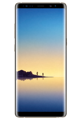
How to unlock a Samsung Galaxy Note 8 by IMEI
Presented to the public in August 2017 and launched on September 15, the Galaxy Note8 is an Android phablet smartphone produced by the South Korean tech giant, Samsung Electronics.
The Samsung Galaxy Note8 was Samsung's attempt to redeem themselves after the failure of the Note7 which was recalled twice and finally discontinued after reports that some of the batteries had caught fire.
The Samsung Note8 weighs 195 grams and is 8.6 mm thick with a QHD+ Super AMOLED 6.3-inch touchscreen display (1440 x 2960 pixels). This particular model runs Android 7.1.1.and has a non-removable Li-Ion 3300 mAh battery which will give you around 22 hours of talk time (3G).
You can legally and permanently unlock your Samsung Galaxy Note8 100% online with doctorSIM from the convenience of your home or the office. Submit your request by sending us the information indicated on screen and then complete the unlocking process by following the step-by-step instructions you'll receive by e-mail.
Don't forget that you can purchase an Online Phone Check before submitting your unlocking request so you can find out in minutes everything there is to know about your smartphone.
The Galaxy Note8 is powered by 1.6 GHz octa-core Qualcomm Snapdragon 835 processor and 6 GB of RAM. The smartphone has 64 GB of internal storage that can be increased up to 256 GB with a microSD card. With regards to cameras, the Note8 is equipped with a 12-megapixel primary camera on the back and an 8-megapixel selfie camera on the front.
Our method of unlocking phones by IMEI is the only method officially recognized by Samsung and you can rest assured your Galaxy Note8 won't be harmed in the process.
The Note8 smartphone is available in midnight black, maple gold, orchid gray, and deep sea blue.
Most frequently sent top-ups
Most desired gift cards
More unlocked phones
All about doctorSIM



 Select your language