
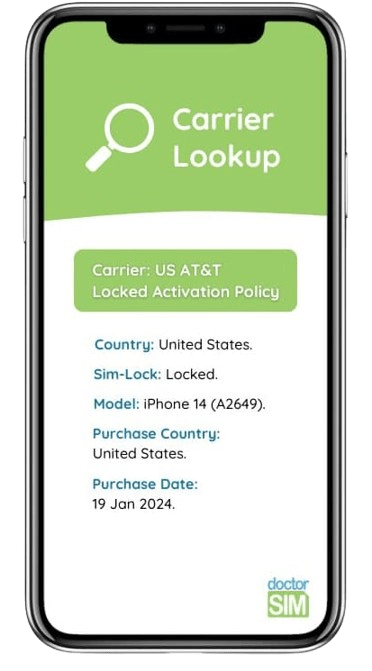
Consultar Posibilidad de Desbloqueo iPhone
¿Quieres saber si un iPhone se puede liberar?
- Descubre a qué operador pertenece y si tiene reportes
- Recomendado si vas a comprar un iPhone usado
- Averigua qué servicio de liberación necesitas

Confianza, Seguridad e Integridad
+8 millones de recargas, tarjetas regalo y chequeos.

Clientes Extremadamente Felices
Más de 26,000 opiniones entre Google y Trustpilot

Precio Bajo y Servicio Garantizado
18 años de máxima transparencia y los precios más bajos.
+26,000 Opiniones acerca de doctorSIM
Video: Como liberar un móvil
FAQs
What's the IMEI code?
It's a unique identity number for each electronic device.
It stands for International Mobile System Equipment Identity, it is 15-17 digits long, and it can not be changed, as changing it might leave the device useless.
The safest way to get the IMEI is by typing *#06# on the dial pad, and if your device is dual-SIM, both IMEI codes will appear here. It is not recommended getting the IMEI code from the invoice, the back of the phone or from the sticker under the battery, as sometimes the IMEI displayed here does not match the actual IMEI of the device.
Make sure to keep your IMEI safe, and don't share it with any company you don't fully trust.
How can I know if my iPhone needs to be unlocked?
Usually, when you purchase an iPhone device with a company, it is network locked to that company. If you want to use it with other networks, you need to network unlock it.
You can check if your iPhone is network locked or not by inserting an active SIM card from a different carrier and see if the phone displays the message "SIM Not Supported".
If you can't run this check, we can help you check if your iPhone is unlocked by IMEI with our Locked/Unlocked Status iPhone Check.
Can I trust doctorSIM?
We have more than 13 years of experience helping our customers, all over the world, and we protect your information with the most exigent Security and Protection Certificates. We'll only need your phone's IMEI to provide you the IMEI check services you need, and you don't need to worry, as your data will be completely safe.
We also recommend keeping your IMEI code safe, and not sharing it with any shady companies, as it's sensitive information.
¿Por qué liberar tu Móvil con doctorSIM?

REPUTACIÓN
Es el servicio recomendado por operadores y fabricantes.

VELOCIDAD
Es el método fácil, rápido, seguro y legal de liberar.

SEGURIDAD
Mantienes la garantía de tu móvil intacta.

GARANTIAS
No te desprendes de tu móvil en ningún momento.

FIABILIDAD
Puedes utilizarlo durante el proceso de liberación.

FACIL
Instrucciones de liberación fáciles de seguir.

SOPORTE
El mejor servicio de atención al cliente a tu disposición.

VERSATILIDAD
Podrás utilizar tu móvil con cualquier operador del mundo.

Comprueba si tu terminal está en nuestra base de datos de teléfonos reportados. Consulta limitada.
Informe oficial de Blacklist Iniciative. Averigua si está reportado o blacklisted por pérdida, robo o impago. Detallado por país y operador

Verifica si tu iPhone está libre, antes de contratar tu liberación por IMEI con doctorSIM.

Averigua si tu móvil puede ser desbloqueado.
Recomendado antes de comprar un celular usado.
Averigua si tu móvil puede ser desbloqueado.
Recomendado antes de comprar un celular usado.
Averigua si tu móvil puede ser desbloqueado.
Recomendado antes de comprar un celular usado.

Comprueba si tu iPhone tiene una cuenta de iCloud activa.
¡Deberás saber las claves para poder usar el terminal!

Verifica si Xiaomi Mi Account está activo.
Chequeo rápido y oficial de Xiaomi.


Comprueba si tu terminal está en nuestra base de datos de teléfonos reportados. Consulta limitada.
Recargas más enviadas
Tarjetas Regalo más deseadas
Móviles más liberados
Todo sobre doctorSIM



 Selecciona tu Idioma