
UP TO
-30%
Price and Delivery starting at:
$ 14.95 USD 1 to 2 hsUnlock Samsung Galaxy S9
Unlock your Galaxy S9 with the manufacturers recommended method.
- Trust, Safety and Integrity
- Best Prices & Delivery Times
- Guaranteed Unlock or Refund
Price and Delivery from: $ 14.95 USD and 1 to 2 hs

Trust, Safety and Integrity
More than 18 years providing 7+ Million mobile top-ups, gift cards and IMEI checks

Extremely Happy Customers
Over 26,000 real reviews on Google and Trustpilot combined

Lowest Prices Guaranteed
Transparent upfront pricing and best price guaranteed.
+26,000 doctorSIM reviews
Video: How to unlock a phone
Frequently Asked Questions
What is the difference between the Standard and Premium service?
To unlock a Samsung using the Standard Service, a local database is consulted. It is more economical, but there are occasions when the code is not available.
If your Samsung cannot be unlocked through this basic service, we will refund 100% of your payment and you will be able to request the premium service, which has a 99% success rate.
What if the phone's software is modified?
Unlocking is 100% effective on unmodified software. However, if the software has been altered, the customer must restore the phone to factory settings and accept any risks associated with unlocking, as certain values needed for unlocking may have been changed.
My Samsung does not ask for the unlock code
If you have completed all the steps of the unlocking process and your phone still does not ask for a code, it may already be unlocked, have modified software, or might not recognize the SIM card. However, please note that if the message says "Network Lock", "Invalid SIM", or "Wrong Card" you can unlock your phone with doctorSIM. The unlocking instructions will explain how to get your phone to request the code.
Why unlock your phone with doctorSIM?

REPUTATION
The recommended method by the phone manufacturers and network providers.

GUARANTEE
The simple, fast, safe and legal way to unlock your phone.

SAFE
This method is permanent and doesn’t void your phone’s warranty.

SECURE
Your phone never has to leave your side.

EASY TO USE
Continue using your phone during the unlocking process.

SUPPORT
First-class customer support available 24 hours a day by telephone, chat and e-mail.

VERSATILE
You will be able to use your phone with any network provider in the world.

EXPERIENCE
Backed by over 5 million successful unlockings to date.
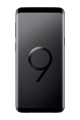
How to unlock a Samsung Galaxy S9 by IMEI
The Samsung Galaxy S9 is an Android smartphone revealed by Samsung Electronics at the Mobile World Congress in Barcelona on 25 February 2018. The S9 weighs 163 grams is 8.5 mm thick and has a 5.8-inch Quad HD+ Super AMOLED display with a resolution of 2960 x 1440 pixels.
You have definitely come to the right place if you are looking to network unlock your Samsung Galaxy S9 legally and in the shortest time frame. If we cannot unlock your cell phone for any reason under our responsibility, we'll return your money. No questions asked!
This Samsung model has a 12-megapixel rear camera with Optical Image Stabilization, digital zoom up to 8x and Selective Focus (background blur effect). The Samsung S9 cell phone also has an 8-megapixel camera on the front ideal for snapping selfies.
The Samsung Galaxy S9 has a 2.3 GHz Octa-core Samsung Exynos 9 processor, a 4 GB RAM memory and 64 GB internal storage. The phone also supports external storage of up to 256 GB.
The 3000 mAh battery provides up to 22 hours of talk time and up to 16 hours of video playback.
Would you like to be able to use your Samsung S9 on any network in the world? Then fill in the online form with information on your device and then sit back and wait for your unlock code and simple step-by-step instructions to arrive in your inbox. The unlock code you receive from doctorSIM will permanently unlock your S9.
The Galaxy S9 smartphone is available in lilac purple, midnight black, titanium gray, and coral blue and the screen is protected by durable scratch-resistant glass.
Top Mobile Recharges
Top Gift Cards
Top Phones Unlocks & Checks
More About doctorSIM



 Choose your Language