
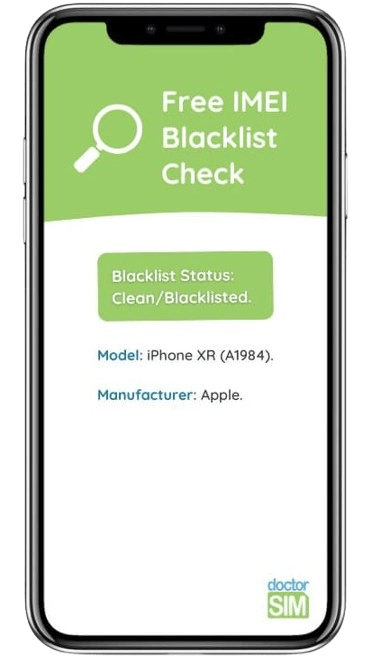
FREE IMEI Blacklist Check
Make sure your phone has not been reported lost, stolen or has unpaid bills
- About to buy a used phone?
- Can’t make calls or connect to the Internet?
- Safeguard your phone if stolen.
Analyze and check your phone in seconds!
Type *#06# on your phone’s keypad to obtain your IMEI number and insert in the box below. Only type the first 15 digits!


Comprueba si tu dispositivo está en nuestra base de datos de celulares reportados. Consulta limitada.
Informe oficial de Blacklist Iniciative. Averigua si está reportado o blacklisted por pérdida, robo o impago. Detallado por país y operador

Verifica si tu iPhone está libre, antes de contratar tu desbloqueo por IMEI con doctorSIM.

Averigua si tu celular puede ser desbloqueado.
Recomendado antes de comprar un celular usado.
Averigua si tu celular puede ser desbloqueado.
Recomendado antes de comprar un celular usado.
Averigua si tu celular puede ser desbloqueado.
Recomendado antes de comprar un celular usado.

Comprueba si tu iPhone tiene una cuenta de iCloud activa.
¡Deberás saber las claves para poder usar el terminal!

Averigua cuál es el operador de origen de tu dispositivo para solicitar tu desbloqueo por IMEI con garantías.

Verifica si Xiaomi Mi Account está activo.
Chequeo rápido y oficial de Xiaomi.


Comprueba si tu dispositivo está en nuestra base de datos de celulares reportados. Consulta limitada.
Why check the current status of your phone with doctorSIM?
- Check if a phone has been reported stolen, lost or due to a pending bill.
- Comprueba por qué las llamadas y datos dan error.
- Chequeo vital si vas a comprar un celular usado.
- Provide peace of mind to the buyer if trying to sell your phone.
- Remove any doubts as to why your phone isn’t working properly.
- Unlock your phone trouble-free if not blacklisted.
- Solo necesitas el número IMEI del celular para obtener el informe.
- First-class customer support available to you.
+26,000 Opiniones acerca de doctorSIM
FAQ Phone checks
Can I unlock my phone even if it has been reported?
Yes, but keep the following in mind: unlocking a phone has nothing to do with removing it from the blacklist. Unlocking your phone allows you to use it on any other network in the world.
However, even if the phone is unlocked, you almost certainly won't be able to make or receive calls until the phone has been removed from the blacklist.
In some cases, it is possible that an unlocked phone works correctly despite having been reported, but it is not guaranteed. We recommend removing the phone from the blacklist before trying to use your phone with another network carrrier.
What is the IMEI blacklist?
A mobile phone can be declared lost, stolen or unpaid by its original network carrier, and it will be included in a worldwide database, where most network carriers include their reported/blacklisted devices.
When using a reported/blacklisted phone, most likely it will not connect to the network. You will be able to browse the Internet and even send SMS if you connect it to a Wi-Fi network, but you won't be able to make nor receive phone calls.
Can an unlocked phone be reported stolen?
Yes, call the network provider you are contracted to and ask for the report. They will require that you send them the complaint you filed with the police and the original invoice.
Recargas más enviadas
Tarjetas Regalo más deseadas
Celulares más desbloqueados
Todo sobre doctorSIM



 Selecciona tu Idioma