
UP TO
-30%
Price and Delivery from:
$ 5.95 USD34 minUnlock your iPhone by IMEI
Apple's recommended unlocking method
Price and Delivery from: $ 5.95 USDin34 min
- Simply connect your iPhone to iTunes.
- No factory resetting, modifying or jailbreaking.
- Seamlessly move to another network carrier.
- Your iPhone never has to leave your side.
- Valid for all iPhone models or iPad.

Release Apple
iPhone Duo

Release Apple
iPhone 18 Pro

Release Apple
iPhone 18 Pro Max
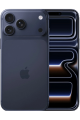
Release Apple
iPhone 17 Pro Max

Release Apple
iPhone 17 Pro

Release Apple
iPhone Air
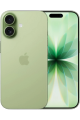
Release Apple
iPhone 17

Release Apple
iPhone 16 Pro Max

Release Apple
iPhone 16 Pro

Release Apple
iPhone 16 Plus

Release Apple
iPhone 16

Release Apple
iPhone 15 Pro Max

Release Apple
iPhone 15 Pro

Release Apple
iPhone 15 Plus

Release Apple
iPhone 15

Release Apple
iPhone 14 Pro Max
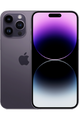
Release Apple
iPhone 14 Pro
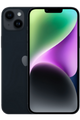
Release Apple
iPhone 14 Plus
Release Apple
iPhone 14
Release Apple
iPhone SE 2022
Release Apple
iPhone 13 Pro Max

Release Apple
iPhone 13 Pro
Release Apple
iPhone 13 mini
Release Apple
iPhone 13

Release Apple
iPhone 12 Pro Max

Release Apple
iPhone 12 Pro

Release Apple
iPhone 12 mini

Release Apple
iPhone 12

Release iphone
SE 2020
Release Apple
iPhone 11 Pro Max

Release Apple
iPhone 11 Pro

Release Apple
iPhone 11
Release Apple
iPhone Xr

Release Apple
iPhone Xs Max

Release Apple
iPhone Xs
Release Apple
iPhone X
Release Apple
iPhone 8 Plus
Release Apple
iPhone 8
Release Apple
iPhone 7 Plus

Release Apple
iPhone 7
Release Apple
iPhone SE

Release Apple
iPhone 6S
Release Apple
iPhone 6S Plus
Release Apple
iPhone 6
Release Apple
iPhone 6 Plus
Release Apple
iPhone 5C
Release Apple
iPhone 5S

Release Apple
iPhone 5
Release Apple
iPhone 4S
Release Apple
iPhone 4
Release Apple
iPhone 3GS
Release Apple
iPad Pro
Release Apple
iPad Air 2
Release Apple
iPad mini 4
Release Apple
iPad mini 2
Run an IMEI check on your iPhone
Check to see if your phone is already unlocked, has any pending payments or is blacklisted, before you request an unlock.


27,000 reviews of doctorSIM

Hassle Free & Super Fast Top-ups.
We have been using DoctorSIM for topping up our SIM cards for many years now, and we have consistently had an excellent experience.
The service has always been fast, reliable, and professional, with very reasonable rates and an impressive range of networks available globally. This is a real advantage compared with many other providers in the same business.
On one occasion, we accidentally entered an incorrect SIM/telephone number when making a top-up. As the funds could not be applied, DoctorSIM promptly processed a full refund back to the card we had originally used for the payment. Their response was quick, professional, and hassle-free.
And our most recent experience says it all: we topped up a SIM just a few moments ago, and the funds were credited within approximately three seconds. You simply cannot ask for much better service than that.
All in all, DoctorSIM has consistently delivered a first-class service over the years. We have no hesitation in recommending them 100% and will certainly continue using their services.
i love dr sim
i love this system its fast, user friendly, ive never come across any problems with it and honestly its just so useful and practical, i use it to buy my friend data every so often to help him out, but theres so many other features its so cool!! and i trust that they wont steal my info and sell it or anything too i love dr sim!!!!!!
very nice and smooth experience
very nice and smooth experience. First top to TIM Brasil didnt work because TIM is bad provider. The money stayed in between. So I asked DoctorSIM to change the top up to VIVO (another number of mine) and the money were delivered in 5 minutes to VIVO number, so I could use the data and so on. DoctorSIM works perfectly with top ups.
Video: How to unlock a cell phone
How to unlock my iPhone with doctorSIM?

Find and select your
iPhone model

Fill in the request form and payment details

Receive a code by email with instructions on how to unlock your phone.
If you have WiFI connection:
1. Connect your iPhone to the Internet via a WiFi network.
2. Insert a SIM card from a network carrier different from the one the iPhone is locked to and turn on the phone. If the card has a PIN, type it in.
3. The iPhone will connect to the Apple server, check for the unlocking and automatically apply it to the phone in seconds.
If you don't have WiFI connection:
1. Insert a SIM card from a network provider different from the one the iPhone is locked to and turn on the phone. If the card has a PIN, type it in.
2. You will see that your iPhone has no service.
3. Open iTunes on your computer and connect your iPhone via USB cable.
4. iTunes will connect to the Apple server, check for the unlocking and automatically apply it to your iPhone in seconds.
Disconnect and restart the device. Your iPhone is now permanently unlocked!
FAQ iPhone unlocking
How do I unlock my iPhone?
Unlocking your iPhone with doctorSIM is as easy as 1-2-3! Select the model of your iPhone, fill in a short form and then pay using your preferred payment method, Apple Pay included. We'll then authorize the unlocking on Apple's server and once completed we'll send you step-by-step instructions on how to complete the process.�
What do I need to unlock my iPhone?
All you need is a WiFi Internet connection and the SIM card of a different network carrier. If you don't have WiFi, you can connect your PC to iTunes using a USB cable. iTunes will connect to the servers at Apple, applying the unlocking for your iPhone.�
Why unlock my iPhone at doctorSIM.com and not in a store?
The unlocking method used by doctorSIM is recommended by Apple. It is legal, permanent, doesn't void the phone's warranty and isn't invalidated by future software updates. Additionally, your iPhone is never out of your sight because you unlock it yourself and if you need any help you can contact our customer support for assistance.�
How do I know if my iPhone has been blacklisted?
Your iPhone may have been reported stolen, lost or due to an unpaid bill by the original network carrier. If this is the case, even unlocked, you won't be able to make calls with your iPhone. If you are unsure if your iPhone is on the blacklist, either check with your carrier or find out using our free blacklist iPhone check .�
How do I find out to which network carrier my iPhone is locked?
In order to unlock your iPhone, it is very important that you select the original operator your iPhone is locked to (the network carrier that sold you the iPhone). Unfortunately, we cannot cancel or issue refunds for unlocking requests if the network carrier indicated is incorrect. If you don't know, verify this information with our iPhone original carrier check before submitting your unlocking request.�
What happens if I am under contract with my network?
You can still unlock your iPhone even if you have signed a fixed-term contract with your current network carrier. You will have to pay your monthly bills until the contract expires, but at the same time, you'll be able to use your iPhone with other networks. If you stop paying your monthly bills, the carrier will almost certainly blacklist the iPhone and you won't be able to use it in the country where it was purchased.�
Do your unlocking services remove the iCloud Activation Lock?
iPhones and iPads with the Find My iPhone feature enabled include additional protection called 'Activation Lock' which prevents users that do not have the original Apple ID and password from using the device.
Unfortunately, doctorSIM cannot disable the iCloud Activation Lock on Apple devices as it is illegal for a third-party unlocking company to provide this service.
If you cannot remember your ID or password, please contact Apple for support
Most frequently sent top-ups
Most desired gift cards
More unlocked phones
All about doctorSIM



 Select your language